








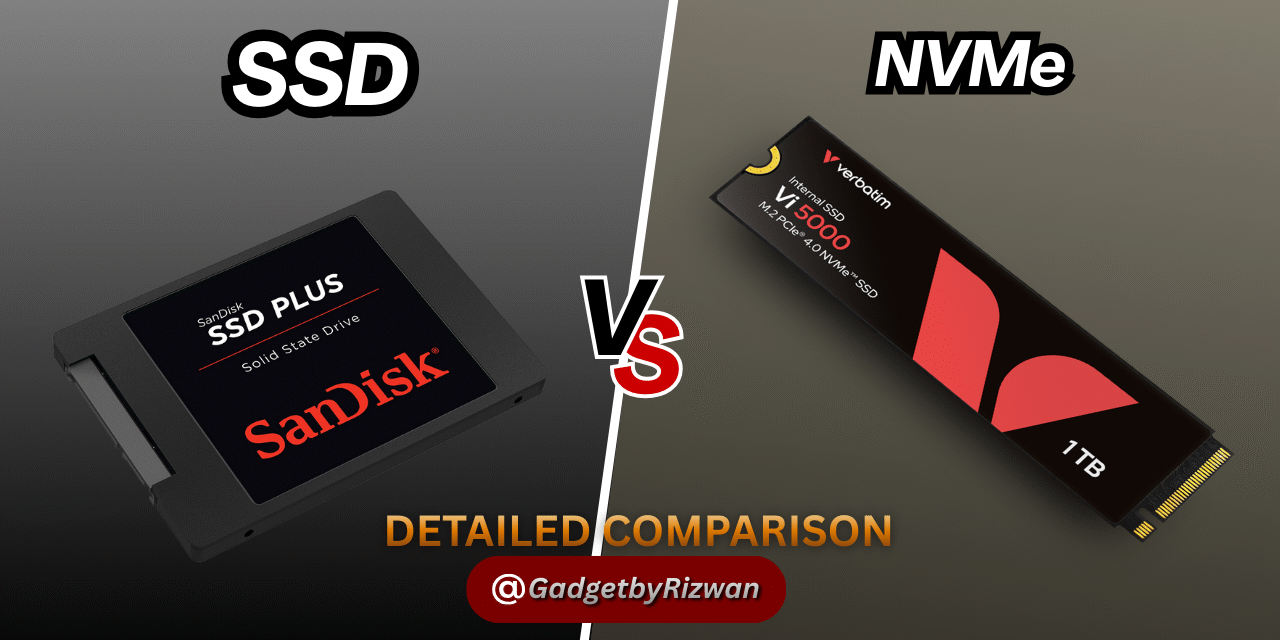
SSD vs NVMe Detailed Comparison 2025, A Deep Research with Detailed Comparison
Introduction
Let’s be honest, Difference between SSD and NVMe can feel like a techy riddle. Both are best in speed, efficiency, and durability. But which one is really right for you? In this guide, we’ll decode the differences between SSD and NVMe in a super-friendly way. And yes, we’ve got comparison tables to make things crystal clear.
Understanding Storage Technology
The Evolution from HDD to SSD to NVMe
First, a quick timeline. Hard disk drives, or HDDs(Hard Disk drives), have been a part of computers for decades. Then came Solid State Drives (SSDs), which have no moving components and higher read/write rates. Presenting NVMe, the next-generation SSD that uses a cutting-edge flash memory technology.
Moreover read more about how to remove bloatware from your Laptop or PC.
What is an SSD?
How Does a SSD Work?
SSDs don’t have rotating disks as HDDs do; instead, they use NAND flash memory(NOT AND) to store data. Access to data is almost instantaneous and retrieval is lightning quick.
Key Features of SSDs
-
Silent operation
-
Faster than HDDs
-
More energy-efficient
-
Budget-friendly
-
Compatible with most systems
SSD(Solid State Drive)
What is NVMe?
How NVMe Operates
Non-Volatile Memory Express is known as NVMe. It’s a standard that allows SSDs to connect directly through PCIe lanes, not a separate kind of storage, to achieve significantly faster speeds.
Key Features of NVMe
-
Ultra-fast speeds
-
Minimal latency
-
Direct communication with CPU
-
Designed for flash storage
-
Compact form (often M.2)

NVMe
Here we begin: SSD vs NVMe Detailed comparison 2025
SSD vs NVMe: In-Depth Comparison
Let’s break things down point by point.
Interface Technology
| Feature | SATA SSD | NVMe SSD |
|---|---|---|
| Interface Used | SATA III | PCIe (3.0, 4.0, 5.0) |
| Communication Protocol | AHCI | NVMe |
| Max Bandwidth | ~600 MB/s | Up to 7,000+ MB/s |
Performance Metrics
| Task | SATA SSD | NVMe SSD |
|---|---|---|
| Boot Time (Windows 10) | ~15 seconds | ~5–8 seconds |
| File Transfer (10GB file) | ~30 seconds | ~5–7 seconds |
| Application Launch Speed | Fast | Very Fast |
Price Point
| Capacity | SATA SSD (Average) | NVMe SSD (Average) |
|---|---|---|
| 250GB | $20–$30 | $30–$50 |
| 500GB | $30–$50 | $50–$80 |
| 1TB | $50–$70 | $80–$120 |
Durability and Longevity
Both SSD and NVMe have limited write cycles, but modern drives last years under normal usage.
| Feature | SATA SSD | NVMe SSD |
|---|---|---|
| Average Lifespan | 5–7 years | 5–7 years |
| TBW (Terabytes Written) | ~150–600 TBW | ~200–1200 TBW |
| Shock Resistance | High | High |
Form Factor Differences
| Drive Type | Common Form Factors |
|---|---|
| SATA SSD | 2.5-inch, mSATA |
| NVMe SSD | M.2, U.2, PCIe Card |
Boot Time and OS Loading
NVMe cuts boot and OS load times by a few precious seconds. You’ll notice the difference especially if you multitask often.
SSD vs NVMe Detailed comparison 2025
Gaming Performance
Load times matter more than FPS here.
| Feature | SATA SSD | NVMe SSD |
|---|---|---|
| Game Load Time (AAA) | ~30–45 sec | ~10–20 sec |
| Texture Streaming | Good | Excellent |
| FPS Impact | Negligible | Negligible |
Data Transfer Efficiency
NVMe smokes SATA SSDs when it comes to heavy data movement.
| Task | SATA SSD | NVMe SSD |
|---|---|---|
| Video File Export (1GB) | ~8–10 seconds | ~2–4 seconds |
| ISO File Copy | ~25 seconds | ~5–8 seconds |
Table 1: Overview Comparison
| Criteria | SATA SSD | NVMe SSD |
|---|---|---|
| Interface | SATA III | PCIe (NVMe Protocol) |
| Max Speed | ~550 MB/s | 3,000–7,000+ MB/s |
| Latency | Higher | Ultra-low |
| Cost | Lower | Higher |
| Compatibility | Very Broad | Requires newer systems |
Table 2: Use Case Suitability
| User Type | Recommended Storage |
|---|---|
| Casual Browsing & Office Work | SATA SSD |
| Gamers | NVMe SSD |
| Designers & Editors | NVMe SSD |
| Budget PC Builders | SATA SSD |
| Data Analysts & Coders | NVMe SSD |
Table 3: Speed Benchmarks
| Test Type | SATA SSD | NVMe PCIe 3.0 | NVMe PCIe 4.0 |
|---|---|---|---|
| Sequential Read (MB/s) | ~550 | ~3,500 | ~7,000 |
| Sequential Write (MB/s) | ~520 | ~3,000 | ~5,000+ |
| IOPS (4K Random) | ~100K | ~600K | ~1 Million+ |
For a deeper dive into technical differences, you can check out Here
Who Should Choose What?
Casual Users
Basic tasks? Go for a SATA SSD. It’s reliable, fast enough, and easy on your wallet.
Gamers
NVMe cuts game loading time drastically. It won’t increase FPS, but the overall experience feels smoother.
Professionals and Creators
If you’re into video editing, 3D modeling, or software development, NVMe is a productivity booster. Those extra seconds saved add up!
Businesses
Servers, cloud systems, and heavy data centers benefit immensely from NVMe’s parallel processing and efficiency.
SSD vs NVMe Detailed comparison 2025, Detailed tutorial.
Future Trends in Storage
The storage world is heading toward faster NVMe drives using PCIe Gen 5. Prices will keep falling, and NVMe will become standard—even for budget systems.
Final Thoughts
It’s clear: both SSD and NVMe have their strengths. What you want to use it for will determine which one you choose. Don’t bring a bicycle to a racetrack, but don’t purchase a Ferrari to drive around the neighborhood either. Now you can easily choose the right one in both of these storage.
Here is the Conclusion below of the: SSD vs NVMe Detailed comparison 2025
Conclusion
To wrap it all up:
-
SATA SSDs are excellent for both regular users and buyers on a tight budget.
-
For people who want speed, multitasking, and powerful computing, NVMe SSDs are perfect.
Either choice is a huge step up from old spinning drives. But if you want the fastest ride in town—NVMe is your ticket.
FAQs
Is NVMe faster than SATA SSD in real-world usage?
Yes. NVMe boots systems faster, opens apps quicker, and transfers large files in a flash.
Will NVMe replace SATA SSDs completely?
Eventually, maybe. But SATA SSDs are still very relevant due to cost and compatibility.
Does my laptop support NVMe?
Check for an M.2 PCIe slot in your laptop specs or user manual.
Can NVMe improve gaming FPS?
Not directly. It improves load times and game asset streaming, not FPS.
Which one lasts longer: SSD or NVMe?
Both have similar lifespans, but NVMe can wear slightly faster if heavily used—though this is rarely an issue for casual users.
Please don’t forget to leave a review.








Trackbacks/Pingbacks